> For the complete documentation index, see [llms.txt](https://docs.magnum.trade/llms.txt). Markdown versions of documentation pages are available by appending `.md` to page URLs; this page is available as [Markdown](https://docs.magnum.trade/webapps/wallets/transfer-funds.md).
# Transfer Funds
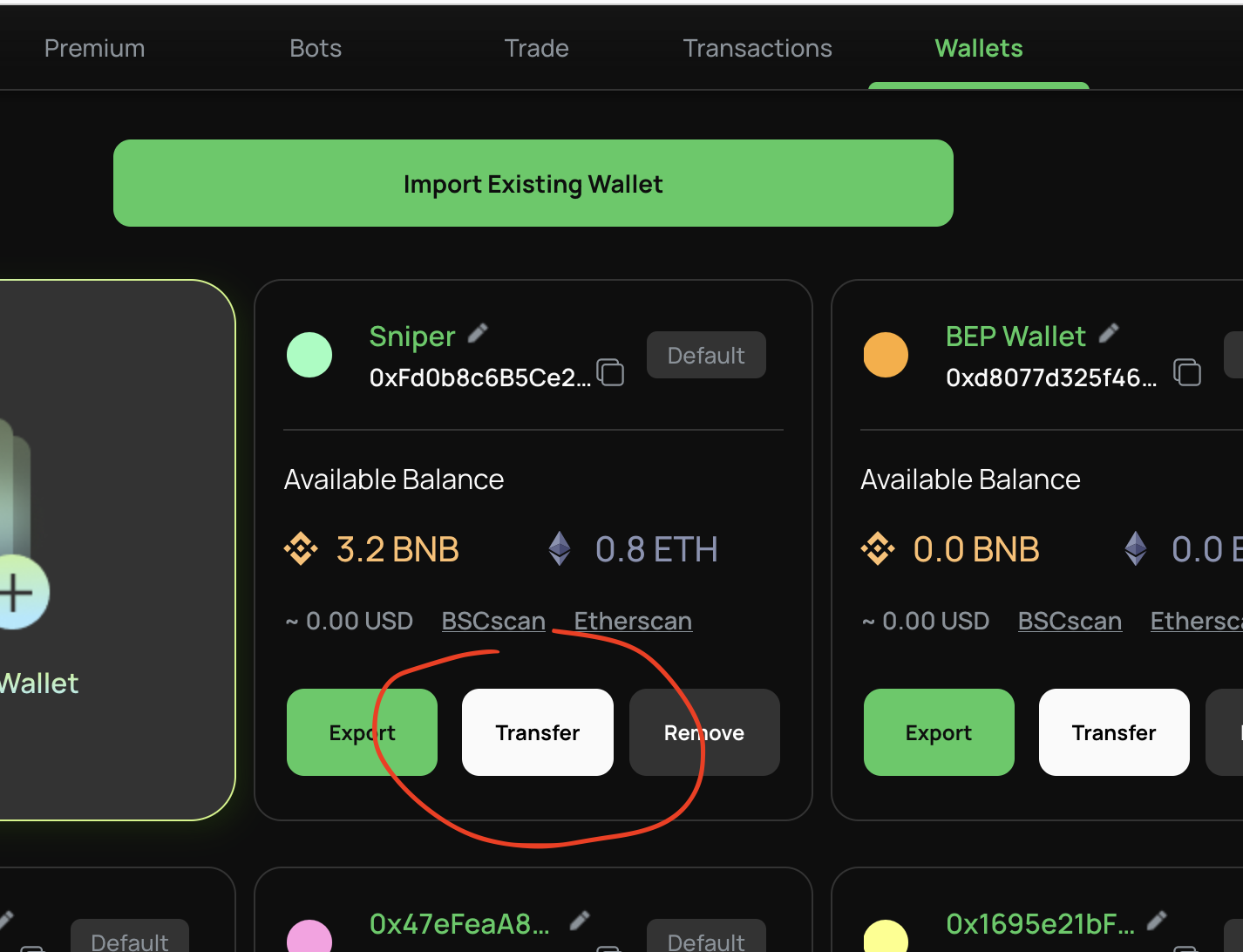
* To transfer your funds, go to 'Wallets' tab on your Web App. From the available wallets, click 'Transfer' button from the wallet you want to send from.
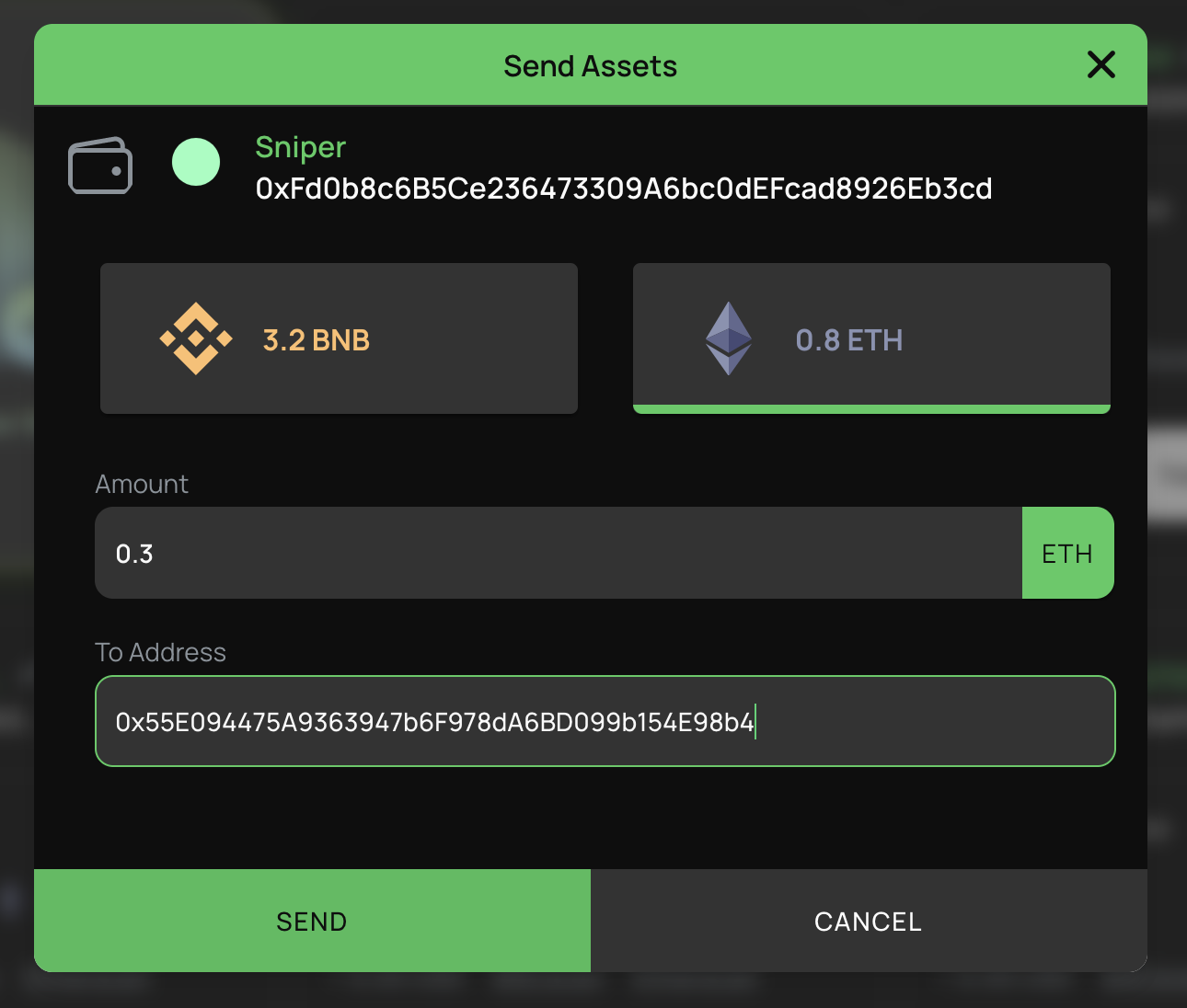
* Select the currency, enter the amount and the receiving address. Click 'Send' to instantly process your transfer.